admin
admin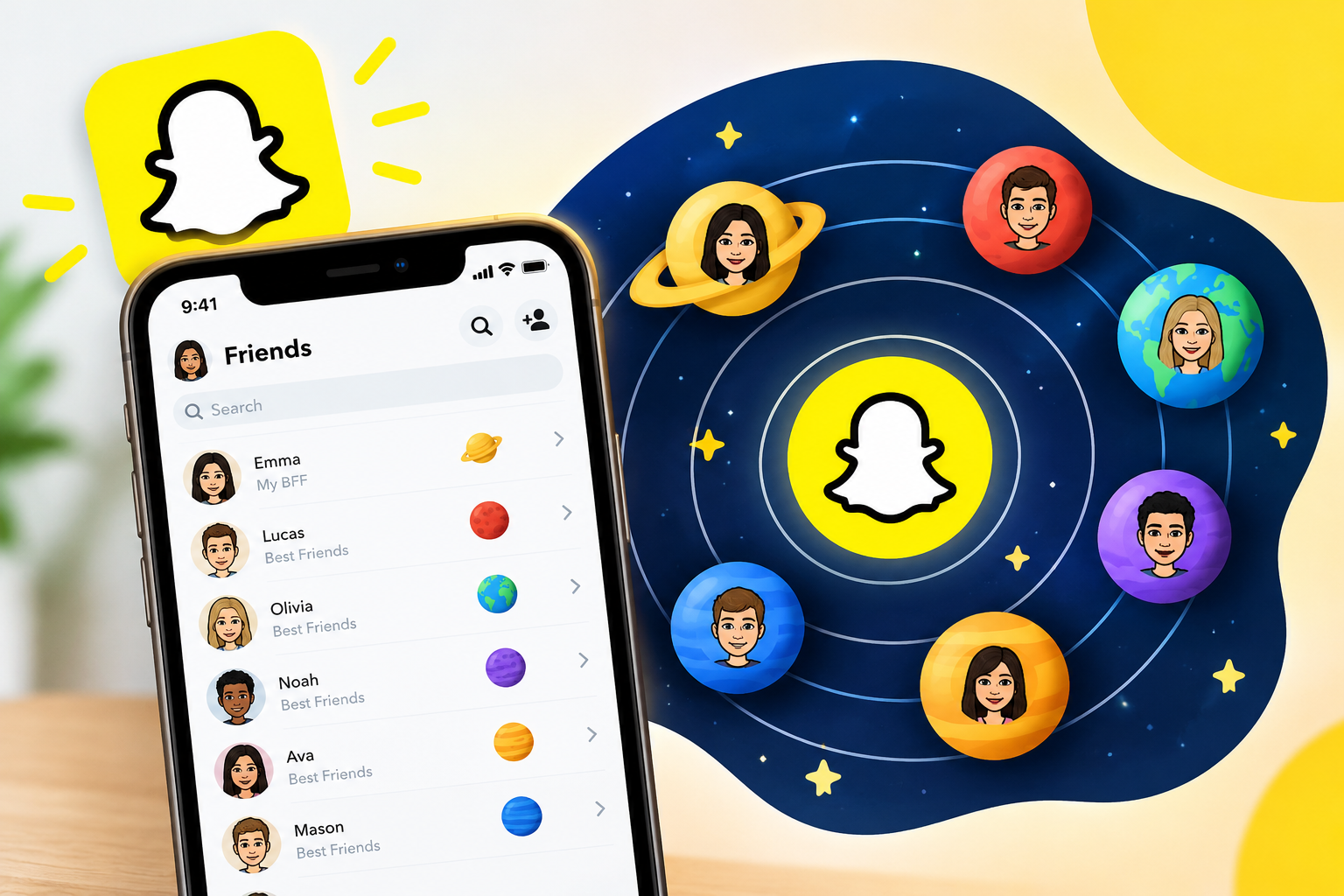
Open a friend’s profile on Snapchat and you might notice a small solar system icon next to their name. It’s part of a Snapchat+ feature that turns your best-friends list into a cosmic ranking. This guide covers what BFF planets Snapchat means, how the order works, and how to find your own spot in a friend’s orbit.
What Are Snapchat Planets?
Snapchat Plus subscribers get access to experimental features, and one of them is the Friend Solar System. It places each of your close friends in a personal solar system. There are eight planets, and you play the role of the sun.
The idea is simple. The closer a planet sits to the sun, the closer the friendship. Instead of a plain list or an emoji badge, Snapchat turns “best friend” into something you can see and compare.
The Snapchat Planets Order
The order follows the real solar system, with each planet standing for one of your top eight friends. Here is what each position means:
- Mercury: your number one friend, the person you interact with most.
- Venus: your second-closest friend.
- Earth: your third-closest friend.
- Mars: your fourth-closest friend.
- Jupiter: your fifth-closest friend.
- Saturn: your sixth-closest friend.
- Uranus: your seventh-closest friend.
- Neptune: your eighth and last spot.
Everything is relative to whose solar system you’re looking at. If your friend is the sun and you appear as Earth, you’re their third-closest friend. You are always the sun in your own system and a planet in everyone else’s.
How the Ranking Works
You can’t pick who orbits you. Snapchat assigns planets based on how you actually use the app. Once the feature is on, Snapchat tracks snaps, chats, and streaks in the background. You move up by sending more messages and media to someone than to others on your list.
BFF planets Snapchat rankings are also not permanent. As your interactions change, your ranking can change too, so someone who is Mercury today could drift to Venus or Mars later. A friend who dominated your chats last month may fall back if you stop talking.
The ranking also isn’t symmetrical. Someone can be your Mercury without you being in the same position in their system. You might be their Neptune while they’re your closest friend. That mismatch is probably the biggest source of awkward moments with this feature.
How to Find Your Planet in a Friend’s Solar System
You need an active Snapchat+ subscription and an up-to-date app. Even with a subscription, you may have to turn on the Friend Solar System manually in your settings. After that:
- Open Snapchat and go to your Chat or Friends screen.
- Press and hold on the Bitmoji of the friend you want to check.
- Tap the best-friend badge or the solar system icon that appears.
- Snapchat shows which planet you are in that friend’s solar system.
If a friend doesn’t appear near the top, try sending them a message, since the list is ordered by most recent activity. Menu names and placement can change between app updates, so look for the “Solar System” or “Friend Solar System” option in your Snapchat+ settings if the steps above don’t match your screen.
Is the Feature Free?
No. It’s described as a premium feature for Snapchat Plus members, reportedly on iPhone. Snapchat controls availability and can change it, so check the app or Snapchat’s support pages for your device and region. If you don’t see the option, an outdated app or a missing subscription is the usual cause.
Privacy: What Others Can and Can’t See
There is a privacy upside. Users can’t browse another person’s complete Friend Solar System. You only see where you land in a friend’s system, not who their other planets are. Snapchat+ subscribers can also switch the feature off if they’d rather not take part.
One caution: screenshotting anything on a friend’s page, even the Friend Solar System graphic, may alert them. If you want to share your result, ask first or just tell them.
Tips for Moving Closer to Mercury
If you want a higher spot in someone’s solar system, the formula is ordinary friendship:
- Chat consistently. Regular back-and-forth counts for more than one big burst.
- Send snaps, not just texts. Photos and videos feed the interaction signals Snapchat tracks.
- Keep streaks alive with the people who matter to you.
- Reply promptly. Mutual activity is what moves you up.
Remember that the ranking can’t fully capture a friendship. Someone who lives nearby and sees you in person might never reach Mercury because you don’t snap much. A long-distance friend who messages daily might. The system is better read as a celebration of communication than a measure of popularity.
Common Questions
Can I change my own planet? Not directly. Your position comes from your activity, so changing how much you interact is the only lever.
Why can’t I see the planets? Usual reasons are no active Snapchat+ subscription, an outdated app, the feature being switched off, or the person not having much recent activity with you.
Does a low planet mean we aren’t friends? No. Neptune just means you rank eighth in their interaction data. Snapchat only counts what happens in the app.
Is it accurate? Only as a snapshot of recent Snapchat behavior. It reflects app activity, not how people feel about each other.
Final Thoughts
BFF planets Snapchat rankings are a playful twist on an old idea: showing who your closest friends are. Mercury through Neptune gives you a quick, shareable way to see where you stand, and it nudges people to stay in touch. Treat it as a fun conversation starter, not a verdict on your friendships. Whether you’re someone’s Mercury or their Neptune, the number matters far less than whether you actually enjoy talking.
READ ALSO: https://techbigwrite.com